Posting a supplier invoice into your ERP is never a single API call. It requires vendor identification, PO matching, tax determination, and GL assignment - and any one of those can fail. Here is how we engineer for that, honestly.
Size this properly. At 100,000 invoices a year, a 5% exception rate is 5,000 manual interventions annually - roughly 20 every working day. That needs to be resourced, and we say so up front rather than let it surface as a surprise three months after go-live.
Design target: 90%+ straight-through posting. Getting there depends almost entirely on vendor master data quality and PO discipline on your side - not on the middleware. We say this clearly and early, in writing, because it shapes the project plan more than any technical decision does.
This is the scenario we built the routing engine for: a group of entities on different ERPs (or several instances of the same ERP) sharing one Tax Registration Number, and therefore one Peppol participant ID and one Accredited Service Provider connection. Every inbound invoice arrives on that single connection and has to be split correctly - get it wrong, and an invoice lands in the wrong company's ledger. That's a VAT and audit problem, not an inconvenience.
| Concern | Why it's a problem | Our approach |
|---|---|---|
| Inbound routing under a shared TRN | One connection, eight ledgers. A misrouted invoice is a compliance and audit issue, not just rework. | A four-layer routing cascade: Buyer Reference (primary key) → supplier-to-division cross-reference table → PO number pattern matching → exception queue with manual routing. Backed by a supplier onboarding campaign to get Buyer Reference populated at source. |
| Buyer Reference is an optional field | PINT-AE doesn't mandate the Buyer Reference field, so suppliers can legitimately omit it - you can't rely on it alone. | The cascade above degrades gracefully rather than depending on one key. Enforcement runs through supplier terms plus a structured Under-Query response with a reason code, pushing correction back to the supplier instead of absorbing the cost internally. |
The invoice arrives from your Accredited Service Provider. The routing cascade resolves which entity and ERP it belongs to before anything else happens.
Delivered via real-time API where volume supports it, with batch (SFTP) as a fallback for lower-volume connections.
The supplier's TRN on the invoice is matched to your ERP's vendor master, with a name/IBAN fallback. Unmatched invoices go to an exception queue - never auto-created as a new vendor.
Where a valid purchase order reference exists, the invoice is matched to it and posted through your ERP's standard PO-invoice process, within your tolerance limits.
Common for utilities, services, and small purchases. Posted as a direct financial invoice with GL determination from a supplier/expense-type cross-reference table, then routed into your workflow for coding and approval.
The invoice's tax category and rate are mapped to your ERP's tax codes per company code - standard-rated, zero-rated, exempt, or reverse charge. We get this signed off by your tax function, not just IT.
Invoices where all data resolves cleanly are posted straight through. Anything that doesn't is parked for a human to complete - far better than an outright rejection at this volume.
An Invoice Response - Accept, Under Query (with a reason code), or Reject - is issued back through your Accredited Service Provider, triggered by the posting outcome.
The original XML and its human-readable rendering are attached directly to the ERP document, so your AP team can always see the source invoice.
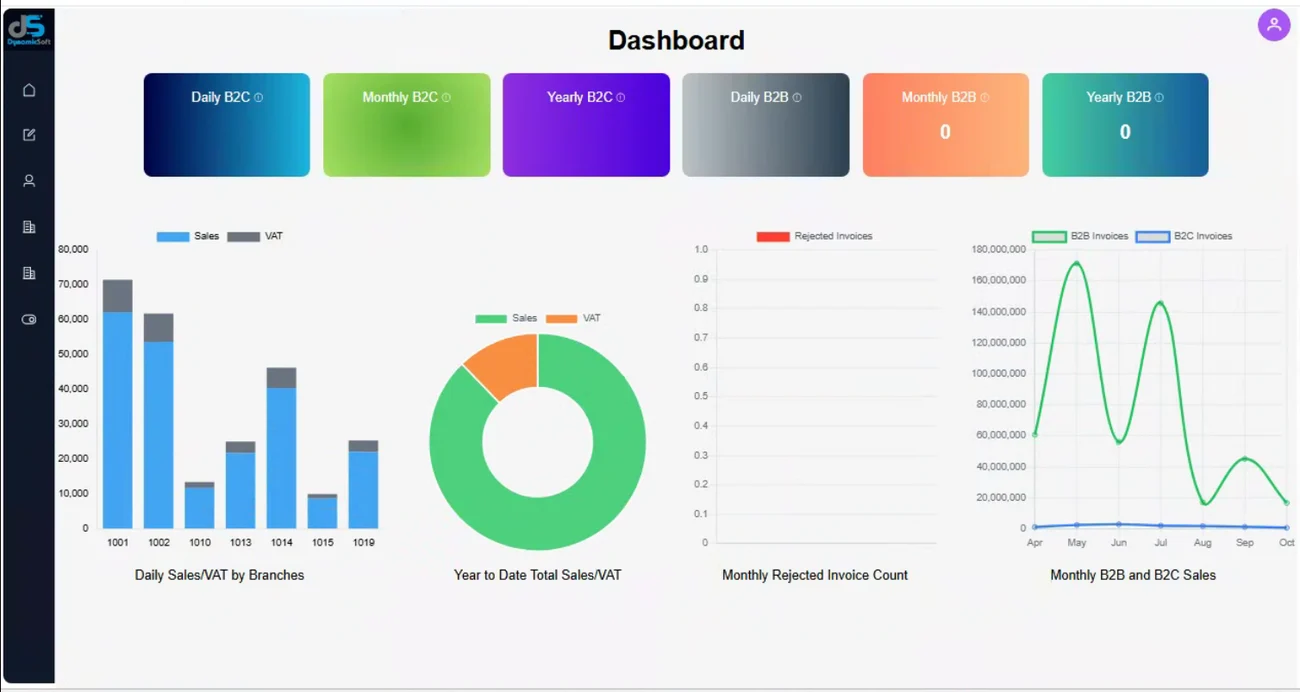
Every invoice's routing decision, match outcome, and posting status is visible in one place - so your AP team spends its time on genuine exceptions, not chasing status across systems.
We'll walk your shared-TRN structure and vendor master quality with you before committing to a straight-through-processing number.
Talk to us about AP automation →